Speaker Identified Speech to Text: Transcribing the Right Speaker
Speech to text tells a system what was said. Speaker identification tells it who said it. Together, they make voice systems personal, account-aware, safer, and more useful in noisy multi-speaker environments.
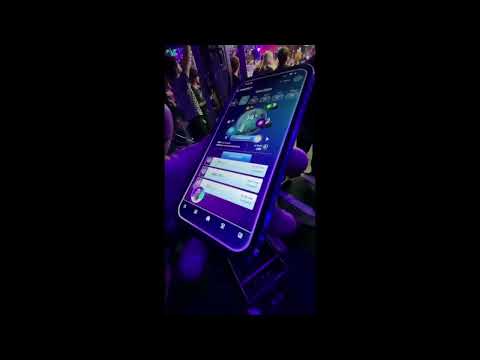
Real usage demo
Speaker-aware speech to text under heavy noise
See speaker-focused transcription working in a noisy real-world environment.
Many people have used speech to text in a noisy place and seen the same problem: the transcript may capture words correctly, but it does not know which person those words belong to. This becomes even harder when several people are speaking nearby, or when audio from a phone call, TV, podcast, or meeting room is present.
That is why the next step is not just speech to text. It is speech to text from the right speaker.
Speech to text answers what was said
Speech to text converts spoken audio into text. If someone says "Navigate home," the speech recognition system returns the words:
That is useful, but it is incomplete. The system still does not know who said it. In a car, home, meeting room, or shared device, the speaker could be the driver, a passenger, a child, a guest, someone on a phone call, or audio coming from a TV, radio, or podcast.
Speech to text alone does not ask:
- Was this the driver?
- Was this the account owner?
- Should this person be allowed to run this command?
- Which user profile should be used?
Speaker identification answers who said it
Speaker identification adds identity to the transcript. The voice system can now understand the words and connect those words to the person who spoke them.
This makes voice interfaces more personal, safer, and more useful in shared environments.
LunaFit examples in noisy environments
DaVoice customer LunaFit uses voice AI in fitness and health experiences, where real users are often moving, breathing heavily, and surrounded by background noise. These videos show why speech to text becomes more useful when the system can focus on the right speaker.
Real usage demo
Speaker-aware speech to text under heavy noise
See speaker-focused transcription working in a noisy real-world environment.
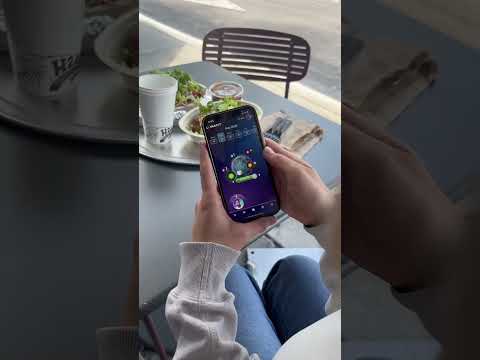
Marketing short
LunaFit voice AI concept video
A fun LunaFit marketing clip. It is not presented as live product usage, but it shows the kind of voice-first experience customers want users to feel.
Example: "Call my wife"
A driver says:
"Call my wife."
Speech to Text
"Call my wife."
Speaker ID
Speaker = driver.
Result
Call the driver's wife.
If a passenger says the same sentence, speech to text still returns "Call my wife." But speaker identification can tell the system that the speaker is the passenger. The assistant can call the passenger's wife, reject the request, or ask for confirmation. Without speaker identification, the word "my" is ambiguous.
Why speech to text alone is not enough
Speech recognition understands the words, but not the identity behind the words. That creates problems for personal commands, shared devices, vehicles, meetings, and security-sensitive actions.
Personal commands
If someone says "Read my messages," speech to text can transcribe the phrase, but speaker identification tells the system whether this is the account owner. The assistant can use the correct messages or refuse to read private content.
Multiple users
In a home assistant, two people may ask, "What's on my calendar today?" The words are identical. Speaker ID tells the assistant whose calendar to open.
Automotive assistants
If the driver says "Navigate home," the car can navigate to the driver's home. If a passenger says the same command, the system can use the passenger's profile, ignore the command, or ask for confirmation.
Security-sensitive actions
For commands such as "Unlock the door," transcription accuracy is not enough. The system also needs to decide whether the speaker is authorized.
Known authorized speaker
Allow the command.
Unknown speaker
Reject or require confirmation.
Analytics and meeting notes
In a meeting, speech to text can create a transcript. Speaker identification adds attribution, which makes summaries, action items, CRM notes, and follow-ups far more useful.
Ofer: "We should launch next month."
Mariana: "I agree."
Daniel: "Let's confirm with engineering."
A practical architecture
A strong multi-user voice system can work like this:
- VAD: is someone speaking?
- Speech to text: what did they say?
- Speaker identification: who said it?
- Authorization and personalization: is this person allowed, and which profile should be used?
- Intent or LLM: understand and execute the command.
Speech to Text: "Call my wife"
Speaker ID: Speaker = driver
Personal context: Driver's wife = Dana
Assistant: Calls Dana
The simple commercial explanation
Speech to text converts voice into words. Speaker identification connects those words to the person who said them.
Put another way: speech to text tells the system what was said. Speaker identification tells the system whose command it is.
When speaker identified transcription matters
Speech to text alone is enough when the product only needs a generic transcript. But speech to text plus speaker identification is much better when the product needs:
- Personalization
- Privacy
- Access control
- Account switching
- Multi-user support
- Speaker-attributed transcripts
- Safer execution of sensitive commands
- Better CRM, meeting, medical, or automotive workflows
The difference is simple: speech to text only asks, "What was said?" Speaker identified speech to text asks, "What was said, and who said it?"