Speaker Isolated Wake Word: Why Wake Word Detection Needs Speaker ID
Wake word detection answers whether a trigger phrase was spoken. Speaker identification answers whether it was spoken by the right person. Together, they make voice assistants safer and more reliable.
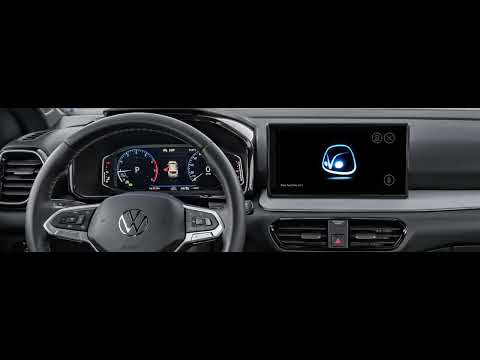
Customer demo
Volkswagen car assistant using DaVoice wake word
Watch how wake word activation works in an automotive assistant flow, before speaker identification is added.
Wake word detection and speaker identification solve two different problems. Wake word detection answers: did someone say the trigger phrase? Speaker identification, speaker verification, and speaker isolation answer: was it the right person, and can that person be separated from other voices or noise?
Used together, they make a voice assistant more reliable, more personal, and safer to use in noisy real-world environments.
Wake word only: useful, but not enough
A wake word model listens for a phrase such as "Hey Otto" and wakes the assistant when that phrase is detected. In automotive deployments, including Volkswagen's Otto assistant, this is the first step that makes hands-free interaction possible.
That flow is useful, but it does not know who said the phrase. In a car, the audio can include the driver, a passenger, a child in the back seat, a podcast, a video, or someone speaking outside the vehicle.
Wake word detection alone does not ask:
- Was it the driver?
- Was it an enrolled or allowed user?
- Was it live speech, or did it come from radio, podcast, or video audio?
- Was it the closest speaker?
Volkswagen assistant example
This Volkswagen car assistant demo shows DaVoice wake word detection in a real vehicle assistant experience. The current demo uses DaVoice wake word activation without speaker identification yet, which is exactly why speaker-isolated wake word is the natural next step.
Customer demo
Volkswagen car assistant using DaVoice wake word
Watch how wake word activation works in an automotive assistant flow, before speaker identification is added.
Speaker isolated wake word adds identity
Speaker isolated wake word combines the trigger phrase with speaker identity. The assistant wakes only when both checks pass: the wake word was detected, and the voice belongs to the registered or allowed speaker.
Example: passenger versus driver
Imagine the driver's voice is enrolled as the permitted voice. A passenger says:
"Hey Otto, start the air conditioner."
Wake word
Yes, I heard "Hey Otto."
Speaker ID
No, this is not the driver.
Result
Do not activate, or ask for confirmation.
When the driver says the same command, the wake word check passes and the speaker ID check passes. The assistant can activate with much higher confidence.
Why it matters for sensitive commands
Speaker isolated wake word becomes especially important when commands are personal, private, or safety-sensitive. Examples include:
- "Read my messages."
- "Unlock the car."
- "Start navigation to home."
- "Call my spouse."
- "Open my calendar."
In those cases, detecting the wake word is only the first decision. The assistant also needs to know whether the request came from the person who is allowed to make it.
The practical takeaway
Wake word detection makes voice interfaces fast and convenient. Speaker identification makes them personal and controlled. Together, they create a better foundation for voice assistants in cars, mobile apps, smart devices, and any environment where multiple people or background media may be present.